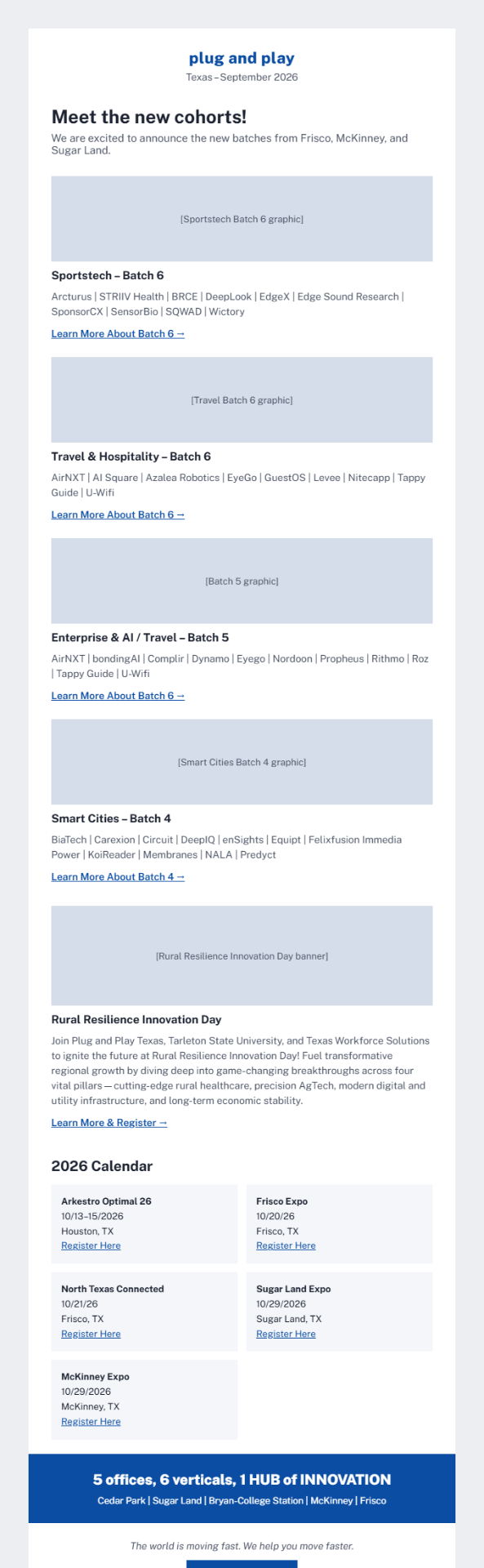
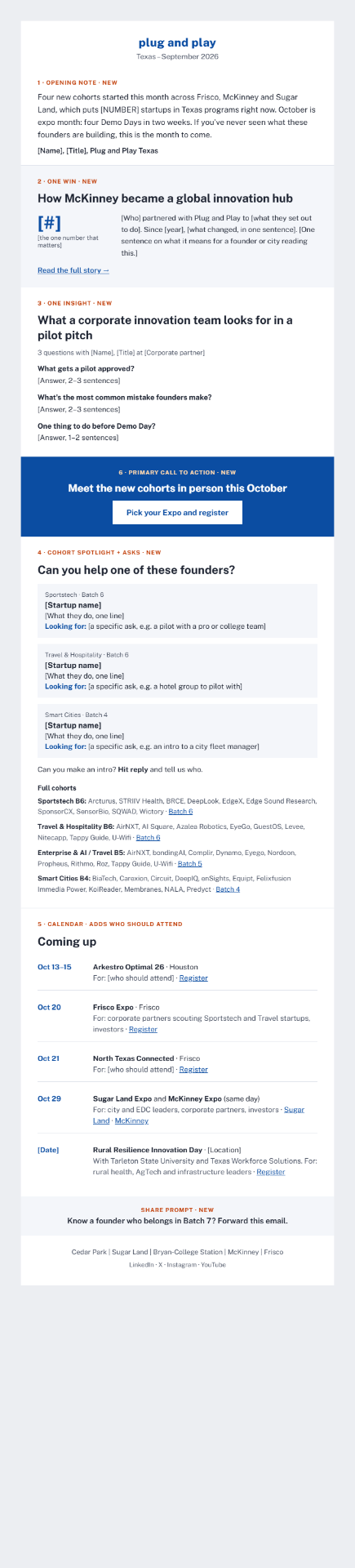
The monthly Texas newsletter tells readers what we did but never what it means for them or what to do next. A fixed six-block template adds a success story, expert insight, startup asks and one clear call to action, in about 2–3 hours a month.
Five errors in the September issue are worth correcting before the October send.
The team fills the same six blocks every month instead of designing an issue from scratch.
| # | Block | What it does for the reader | Length | Source | Monthly time |
|---|---|---|---|---|---|
| 1 | Opening note | A human voice: what happened, what's next | 3 sentences | Texas director or site lead | 10 min |
| 2 | One Win | Shows what's possible inside the ecosystem | ~100 words | Monthly 2-question form to startups and alumni | 30 min |
| 3 | One Insight | Expert know-how worth opening the email for | ~150 words or 3-question Q&A | Rotating corporate partner, mentor or team member | 30 min |
| 4 | Cohort Spotlight + asks | Turns the roster into introductions | 1 startup per vertical, 2 lines each | Same intake form | 30 min |
| 5 | Calendar | Adds "who should attend" to each event | 1 line per event | Existing event list | 15 min |
| 6 | One primary CTA + share prompt | Gives every reader a next step | 1 button, 1 line | Rotating: apply, partner, mentor, register | 10 min |
The One Win uses the same format every time: who, what changed, one number, a link. Startup asks name a specific need, such as a hospitality pilot partner or seed investors. The share prompt is standing: "Know a founder who should be in Batch 7? Forward this," or "Hit reply with an intro request."
Drafting the Win and Insight blocks with AI from the form and Q&A answers keeps the load light; a person checks facts and tone before send.
Track three numbers each month; links already carry UTM tags.
If these haven't moved by month three, cut a block rather than add one.